Your bookmark manager with a browser extension
Save good pages. Find them again.
Recipes, travel ideas, knowledge for your next project: keep useful links in one place. Pinbase helps you organise them and find what you wanted to remember.
Free plan available. Upgrade only when you need more.
bookmark_borderFor Chrome, Firefox and Edge. Also a web app.
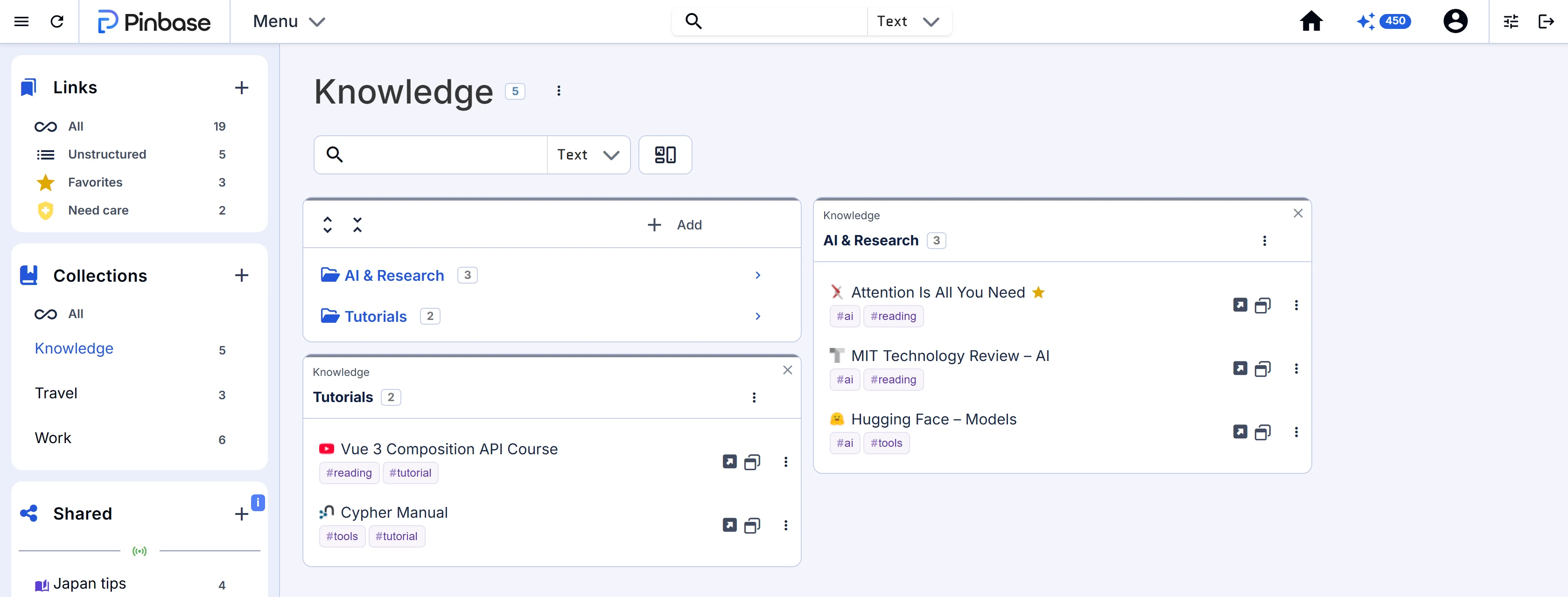
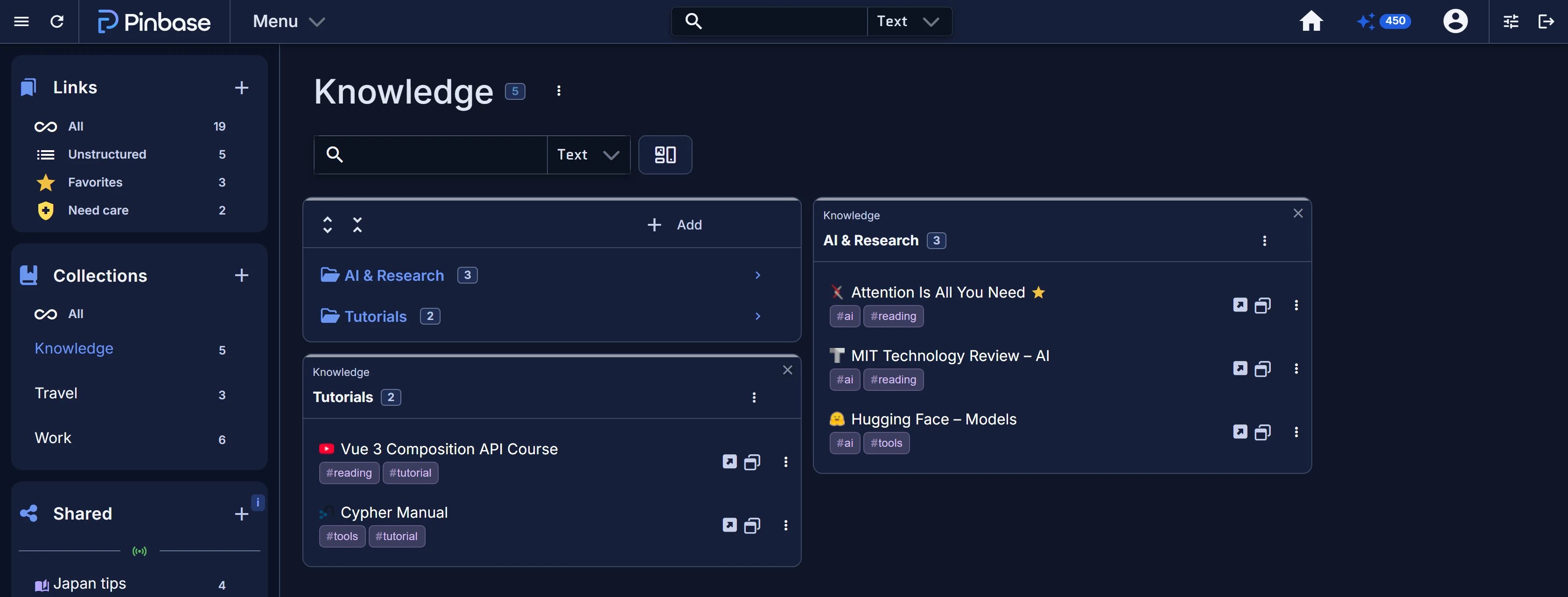
Great finds. All in one place.
Found on the web. At home in Pinbase.
01 / Everyday life with Pinbase
“Where was that one page again?”
You found something useful. Pinbase helps you keep it. Take those ideas for your balcony, for example.
An everyday example · Real extension views with sample data
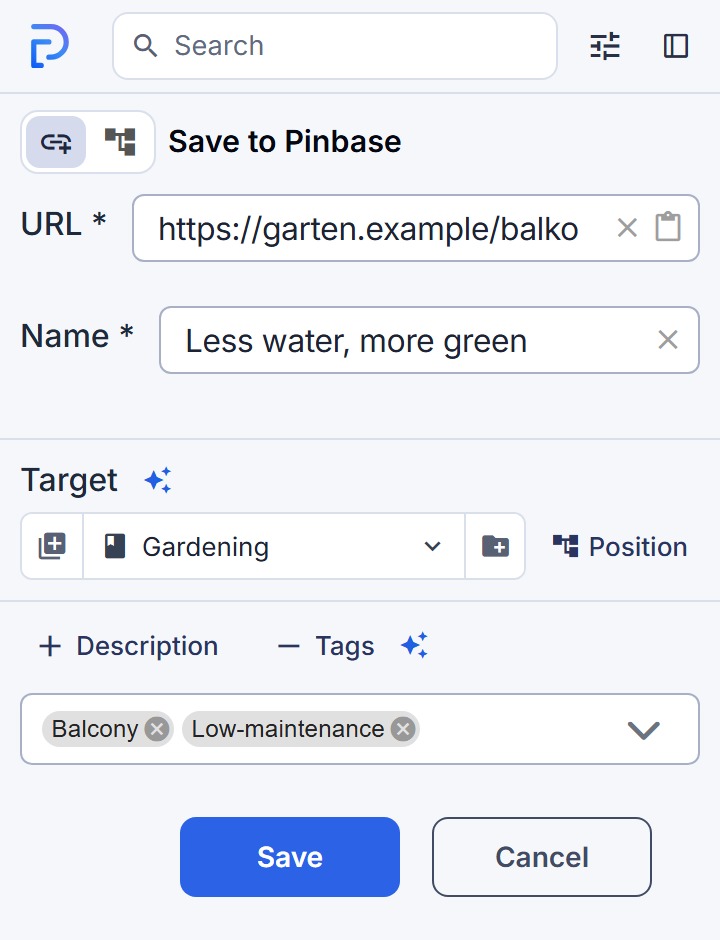
- Less water, more green
Ideas for a low-maintenance balcony.
01Discover it today.
A helpful article while browsing. You want to keep it, but you don’t have time to read it now.
- 02
Save it for later.
Save the link with the browser extension. A folder and your own tags help you organise it.
 03
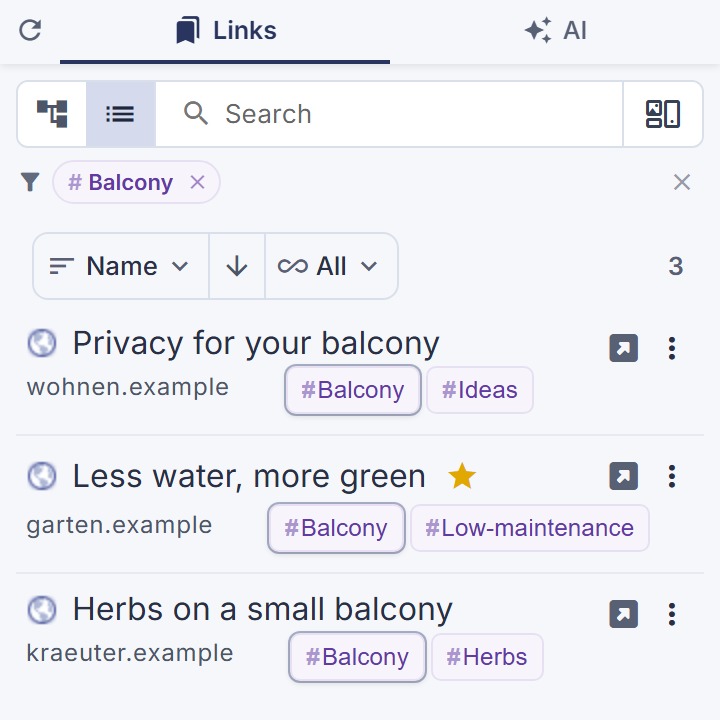
Find it when you need it.
Two weeks later, you’ve forgotten the title. Your “Balcony” tag takes you back to the saved article.
No need to Google it all over again. Pick up where you left off.
- Recipes & travel ideas
- Learning & research
- Work & personal projects
02 / An easy start
Already have bookmarks? Even better.
Import your existing bookmarks or connect your bookmarks bar to Pinbase through the extension. No need to start from scratch.
- folderWork
- folderRead later
- linkseriouseats.com/recipes/…new
- folderWork
- folderRead later
- linkseriouseats.com/recipes/…new
verified_user The browser extension lets you keep both sides in sync. Your bookmarks bar stays usable as before.
03 / More when you need it
Your links first. The possibilities next.
Saving and finding are just the beginning. Discover what else your collection can do for you.
Spot broken links
Check which of your saved pages are still available.
See the bigger picture
Discover topics in your collection through statistics and word clouds.
Free to keep using
Start free. Explore at your own pace.
Save, organise and find your links with Pinbase’s permanent free plan. A paid upgrade is optional if you need more later.
Frequently Asked Questions
What you might want to know before saving your first link.
